
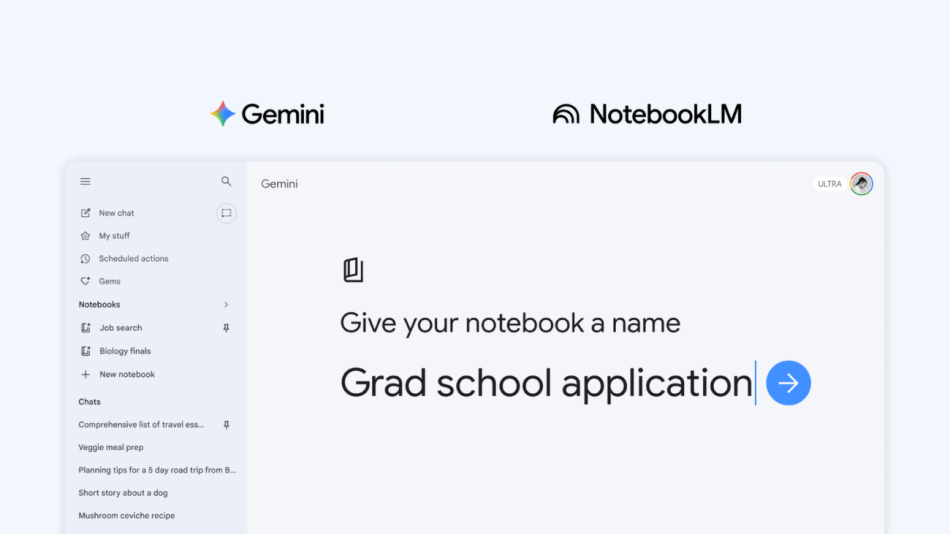
Try notebooks in Gemini to easily keep track of projects
Google has recently introduced a new feature in its Gemini app called Notebooks, designed to help users organize their projects and conversations efficiently. This innovative tool is integrated with NotebookLM, providing a seamless experience for managing complex tasks and enhancing productivity.
What Are Notebooks in Gemini?
Notebooks in Gemini serve as personal knowledge bases that allow users to keep track of chats, files, and other relevant information related to their projects. By utilizing this feature, users can create a dedicated space to organize their thoughts, documents, and conversations, making it easier to manage ongoing tasks.
Key Features of Notebooks
- Organized Spaces: Users can create new notebooks to categorize conversations and files by topic, ensuring that all relevant information is easily accessible.
- Custom Instructions: Users can provide specific instructions to Gemini to tailor responses based on the context of their notebooks.
- File Integration: Notebooks allow users to add various file types, such as documents and PDFs, to enrich the context and improve the quality of responses from Gemini.
- Sync Across Platforms: Notebooks sync seamlessly between the Gemini app and NotebookLM, ensuring that any updates or additions made in one app are reflected in the other.
- Subscription Benefits: Depending on the subscription plan, users can access additional sources and features to enhance their project management capabilities.
How to Use Notebooks in Gemini
Getting started with notebooks in Gemini is straightforward. Here’s a step-by-step guide:
- Open the Gemini App: Launch the Gemini app on your device.
- Create a New Notebook: Click on the “New notebook” option in the side panel to initiate a new project.
- Organize Chats: Move past conversations into the newly created notebook to keep everything organized.
- Add Files: Include relevant documents and files to provide Gemini with context for your project.
- Utilize Custom Instructions: Give Gemini specific instructions to improve the relevance of its responses.
Benefits of Using Notebooks
The introduction of notebooks in Gemini offers several advantages for users, particularly those managing complex projects:
- Improved Organization: By consolidating all project-related information in one place, users can reduce clutter and enhance focus.
- Enhanced Collaboration: Notebooks facilitate better collaboration among team members by providing a shared space for discussions and files.
- Efficient Workflows: The integration with NotebookLM allows users to leverage advanced features, such as creating video overviews or infographics, which can be beneficial for presentations and reports.
- Accessible Resources: Users can access a wider range of sources based on their subscription plan, enabling them to tackle more extensive tasks and projects.
Target Audience and Availability
Notebooks in Gemini are initially available to Google AI Ultra, Pro, and Plus subscribers on the web, with plans for expanded access to mobile devices and free users in the near future. However, it is important to note that notebooks are not available for users under 18 or for Workspace and Education accounts.
Real-World Applications
Notebooks can be particularly useful for various user groups, including:
- Students: They can organize class notes, assignments, and study materials, making it easier to prepare for exams and manage coursework.
- Professionals: Project managers and team leaders can use notebooks to track project progress, share updates, and collaborate with team members.
- Hobbyists: Individuals exploring new hobbies can document their learning journey, gather resources, and keep track of their progress in one place.
Future Developments
Google is committed to enhancing the functionality of notebooks in Gemini. As the feature rolls out, users can expect more updates and improvements that will further streamline project management and collaboration.
Conclusion
Notebooks in Gemini represent a significant advancement in project management tools, combining the power of AI with user-friendly organization features. By allowing users to create personalized knowledge bases, Google aims to facilitate better learning and working experiences. As this feature continues to evolve, it promises to become an essential tool for anyone looking to manage their projects effectively.
Note: The information provided in this article is based on the latest updates from Google as of April 2026. Features and availability may vary based on user subscriptions and future developments.